
Move some iron.
Keep every set.
A workout logbook for iPhone.
Your routines, your actuals, your next session.
Browser access for existing iPhone accounts.
App Store Not yet available
TestFlight Not yet available
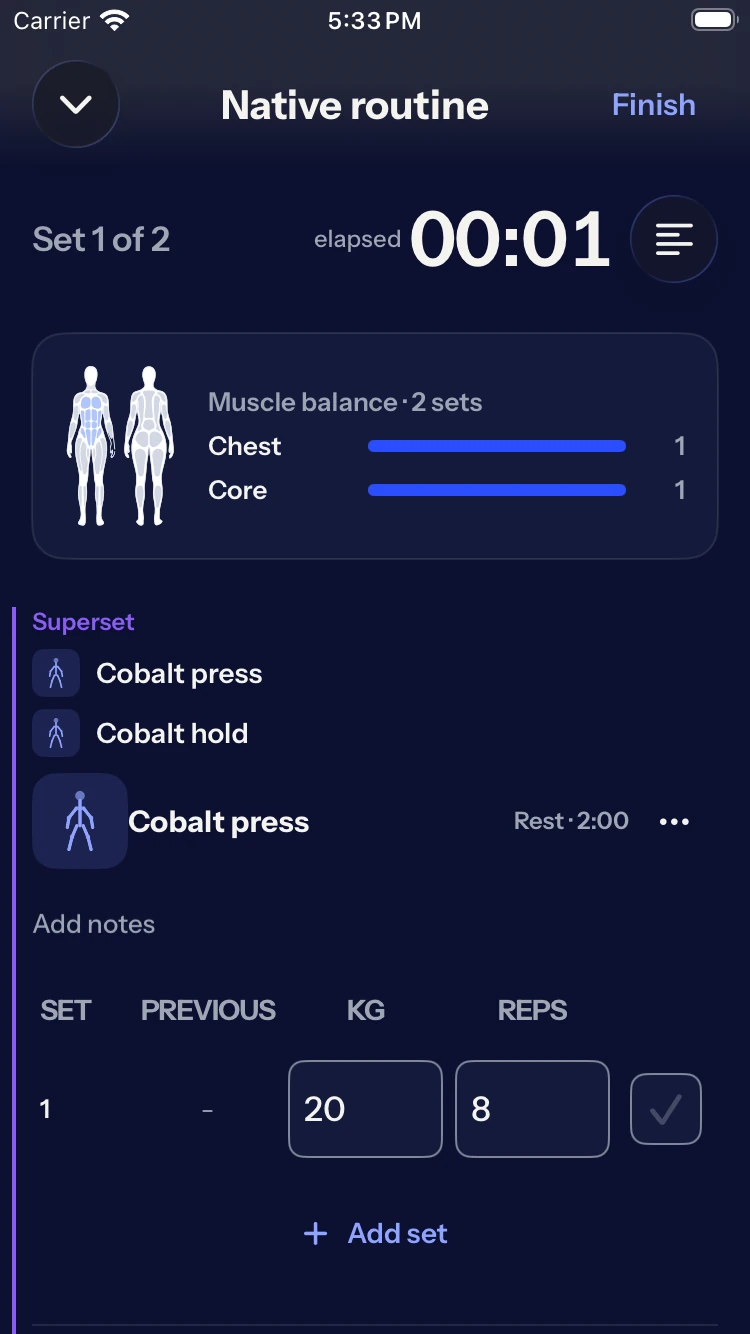
Built for the time between sets.
Less remembering.
More lifting.
Decide what to train. Record what you did. Come back with something to build on.
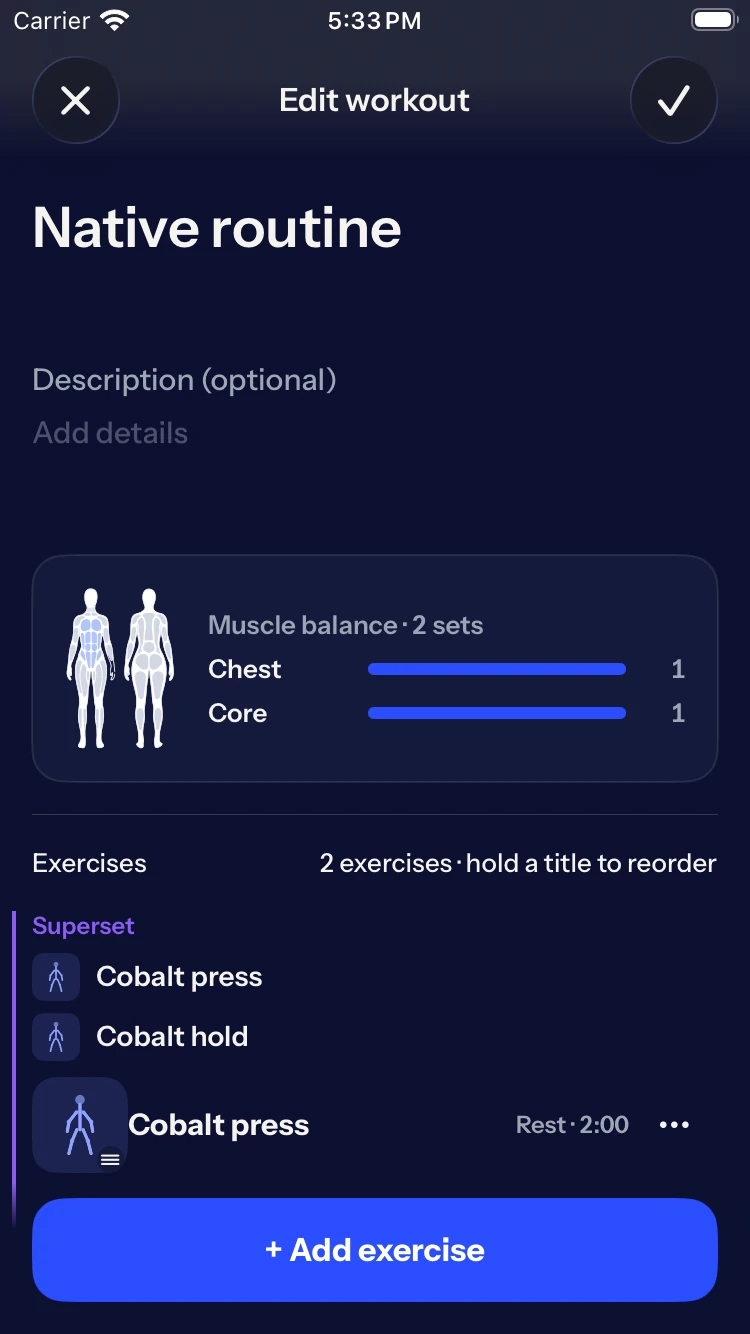
- A plan you can repeat.
- Build routines with targets, supersets and rest times. Keep the details ready before the first set.
- What you did, not just what you planned.
- Log weight, reps and RIR separately from your targets. Complete, skip or undo a set as the session happens.
- A record that stays yours.
- Save to History. Later routine changes leave your saved sessions intact. Review your training, then go again.
Log now.
Sync later.
A stored session keeps your iPhone logbook available offline. Your changes queue for account sync, so a connection does not hold up a set.
Before your
first set.
A few things worth knowing.
Can I download the iPhone app?
Not publicly yet. App Store and TestFlight links will appear here when they are available. There is no release date to announce.
What can I do in the web app?
Sign in by email, review History, browse exercises and routines, import a routine, and export or delete your account. Workout logging and editing, onboarding, Apple sign-in and passkeys require the iPhone app. Complete onboarding on iPhone before using your logbook in the browser.
Do I need an account?
Yes. An account is required to start using Fonte. Your local logbook stays on your iPhone when you sign out or delete your server account. Deleting the local logbook is a separate action.
Can I log a workout offline?
After signing in, a stored session lets you use the iPhone logbook offline. Your changes queue for account sync. A fresh install and a new sign-in need a connection. The web app does not provide offline logging.
Can I edit a saved workout?
Saved workouts are snapshots. You can delete a saved workout, but editing one is not available. Changing a routine does not change sessions already in History.
Does Fonte connect to Strava?
Yes. Connect Strava in the iPhone app's settings. Saving a workout starts its upload in the background; History shows progress and any retry action. Deleting a workout in Fonte does not delete its Strava copy.
Meet your logbook.
Already set up on iPhone? Your account is ready for browser access.